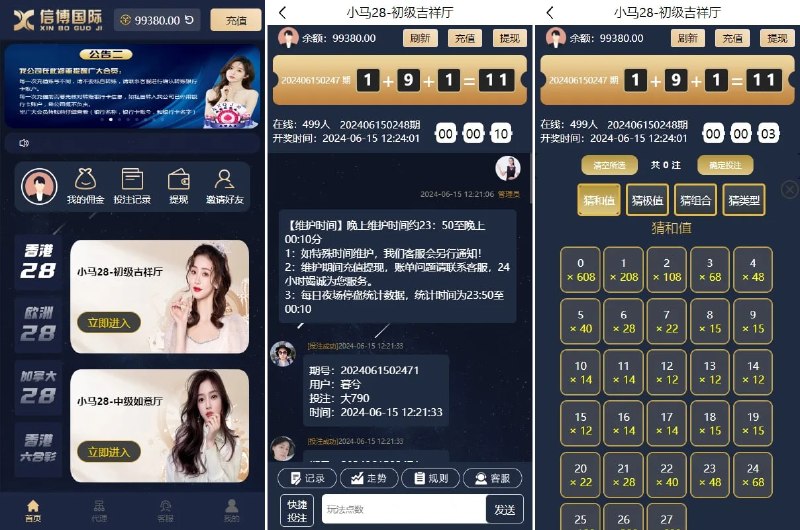
HISTORICAL PROJECT SCREENSHOT
Multi-room member experience
Room navigation, selection flow, and record access.
These historical screenshots show the member interface and administration view of the same game-room project: room entry, number selection and records on the member side, with lists, settings and management actions in the back office.
HISTORICAL PROJECT SCREENSHOTThese historical screenshots show the member interface and administration view of the same game-room project: room entry, number selection and records on the member side, with lists, settings and management actions in the back office.
Room navigation, selection flow, and record access.
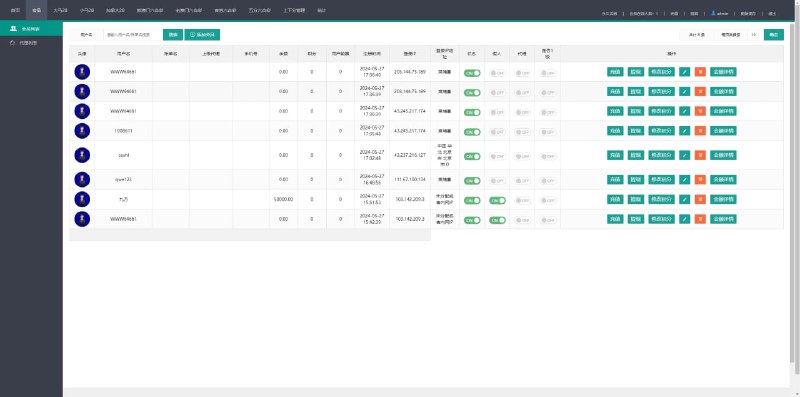
An original view of lists, status settings, and administrative actions.
These are original interface screenshots from the projects. Branding, dates, and values belong to the original images and do not represent current live status or operating results.
The member screenshot illustrates how room entry, number selection and record views are organised. It provides a reference for navigation and interaction within a game-room product.
For a related project, use it to discuss room organisation, navigation, interface language and mobile layouts before listing the required changes.
The administration screenshot shows lists, status settings and management actions. A new project should map these operations to member flows, define view and edit permissions, and agree acceptance checks.
These screenshots document the member interface and back office of one historical project, providing a reference for product structure, layouts and management requirements.
The historical project materials reference ThinkPHP, Vue and PHP. Platforms, integrations, source scope and deployment for a new project are reviewed against its requirements; screenshots alone do not establish its full delivery scope.
Share your region, product type, required platforms and intended timeline so the technical desk can help define the next step.
Describe the product and market
Review modules and interface access
Agree scope and acceptance
Share the product type, target region, delivery model and timeline. We can review requirements before arranging a guided demo or proposal.